 Gratuități
Chat Folders for ChatGPT, Gemini & Claude
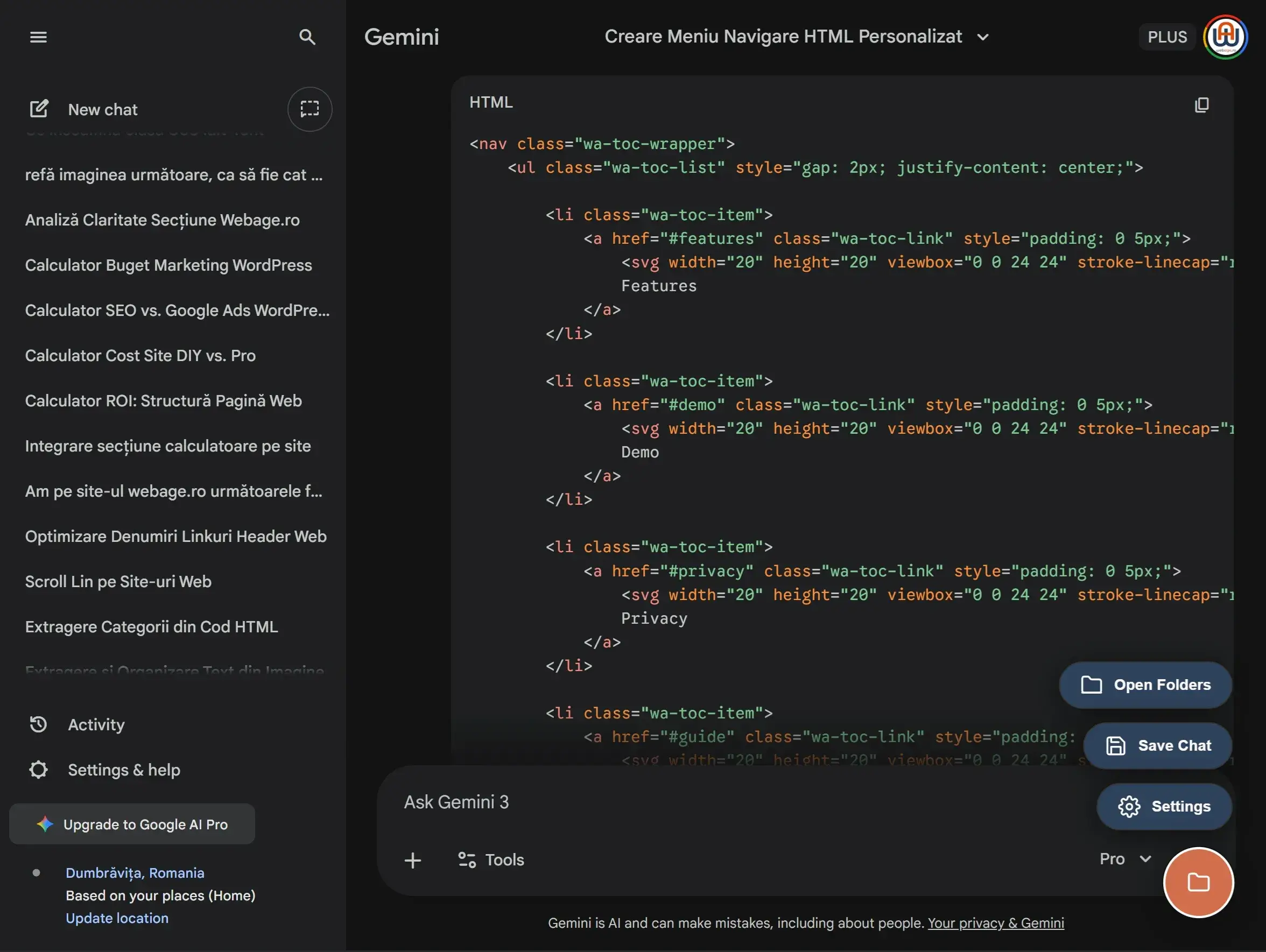
A lightweight Chrome extension that helps you organize, group and manage your AI conversations efficiently. 👉 Coming soon – Pending Chrome Web Store approval

A lightweight Chrome extension that helps you organize, group and manage your AI conversations efficiently. 👉 Coming soon – Pending Chrome Web Store approval
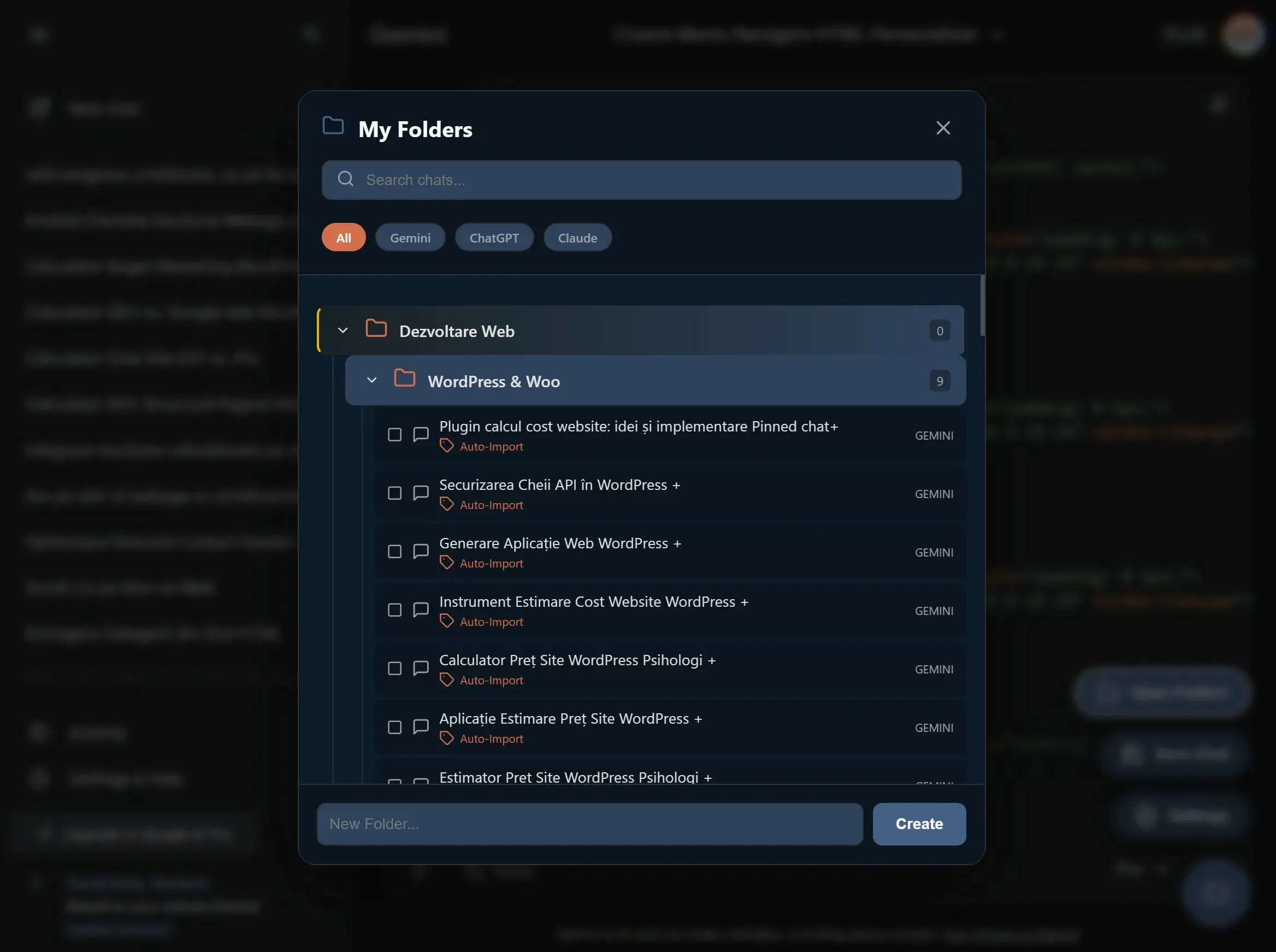
Create folders, group conversations, and keep your AI workflow structured.
Powerful features to organize all your AI conversations

Create an unlimited hierarchical structure for perfect organization of your chats.

Find any conversation in seconds with real-time search through titles and notes.

Mark important folders and chats to always have them at your fingertips.

Add custom notes to each conversation for additional context.

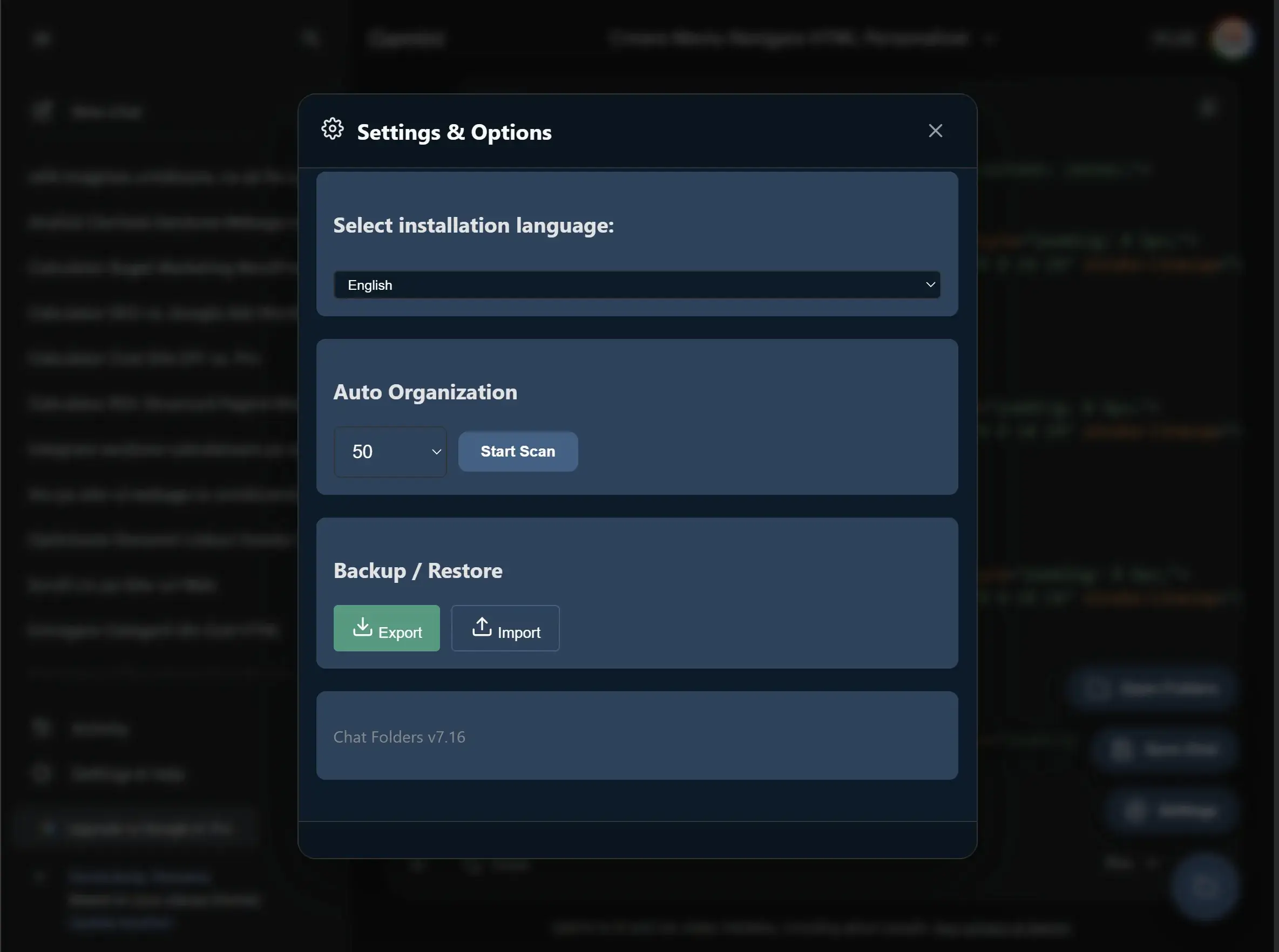
Let the extension analyze and automatically categorize your existing chats.

Move chats between folders and reorganize your structure with simple gestures.

Export and import your data in JSON format for safety and portability.

Available in 6 languages: English, French, Italian, Spanish, German and Romanian.
Yes, Chat Folders is 100% free. There are no paid versions, subscriptions, or hidden limitations. All features are available to all users.
Absolutely! All data is stored exclusively locally on your computer using Chrome Storage API. We don’t send any information to external servers. The extension works completely offline after installation.
The extension is developed for Google Chrome. It also works on Chromium-based browsers like Microsoft Edge, Brave, Opera, and Vivaldi.
Yes! In the Settings section you can export all folders and chats to a JSON file. This file can be imported later for backup or transfer to another computer.
The extension keeps the reference to the chat in your folders. If the chat is deleted from the platform, the link will no longer work, but you can manually delete the entry from the folder.
Currently, data is stored locally. For syncing, you can use the Export/Import feature to manually transfer the JSON file between devices.
The extension scans the titles of visible chats in the sidebar and automatically categorizes them based on keywords (e.g., „wordpress” → Web Development, „SEO” → Marketing). Categories are predefined for business productivity.
No. The extension is optimized and uses minimal resources. It only activates on the 3 supported sites (Gemini, ChatGPT, Claude) and doesn’t affect browser performance.
Gemini, ChatGPT and Claude are registered trademarks of Google, OpenAI and Anthropic.
Chat Folders was born from our own need to manage the hundreds of AI conversations we have daily.
This extension is offered free to the community as a sign of appreciation for the open-source ecosystem.
At Webage, we create digital solutions that simplify work and improve user experience.
With over 25 years of business and sales experience, we build tools that solve real workflow problems — not just visual interfaces.
Need custom web automation or AI workflow integration?
Contact us
Install Chat Folders for free and transform your experience with Gemini, ChatGPT and Claude.
Install Free in Chrome


